SC-A-LOAM#
What is SC-A-LOAM?#
- A real-time LiDAR SLAM package that integrates A-LOAM and ScanContext.
Repository Information#
Original Repository link#
https://github.com/gisbi-kim/SC-A-LOAM
Required Sensors#
- LIDAR [VLP-16, HDL-32, HDL-64, Ouster OS1-64]
Prerequisites (dependencies)#
- ROS
- GTSAM version 4.x.
-
If GTSAM is not installed, follow the steps below.
bash
  wget -O ~/Downloads/gtsam.zip https://github.com/borglab/gtsam/archive/4.0.2.zip
  cd ~/Downloads/ && unzip gtsam.zip -d ~/Downloads/
  cd ~/Downloads/gtsam-4.0.2/
  mkdir build && cd build
  cmake -DGTSAM_BUILD_WITH_MARCH_NATIVE=OFF ..
  sudo make install -j8
ROS Compatibility#
- ROS 1
Build & Run#
1) Build#
-
First, install the above mentioned dependencies and follow below lines.
```bash mkdir -p ~/catkin_scaloam_ws/src cd ~/catkin_scaloam_ws/src git clone https://github.com/gisbi-kim/SC-A-LOAM.git cd ../ catkin_make source ~/catkin_scaloam_ws/devel/setup.bash
```
2) Set parameters#
- After downloading the repository, change topic and sensor settings on the launch files.
Scan Context parameters#
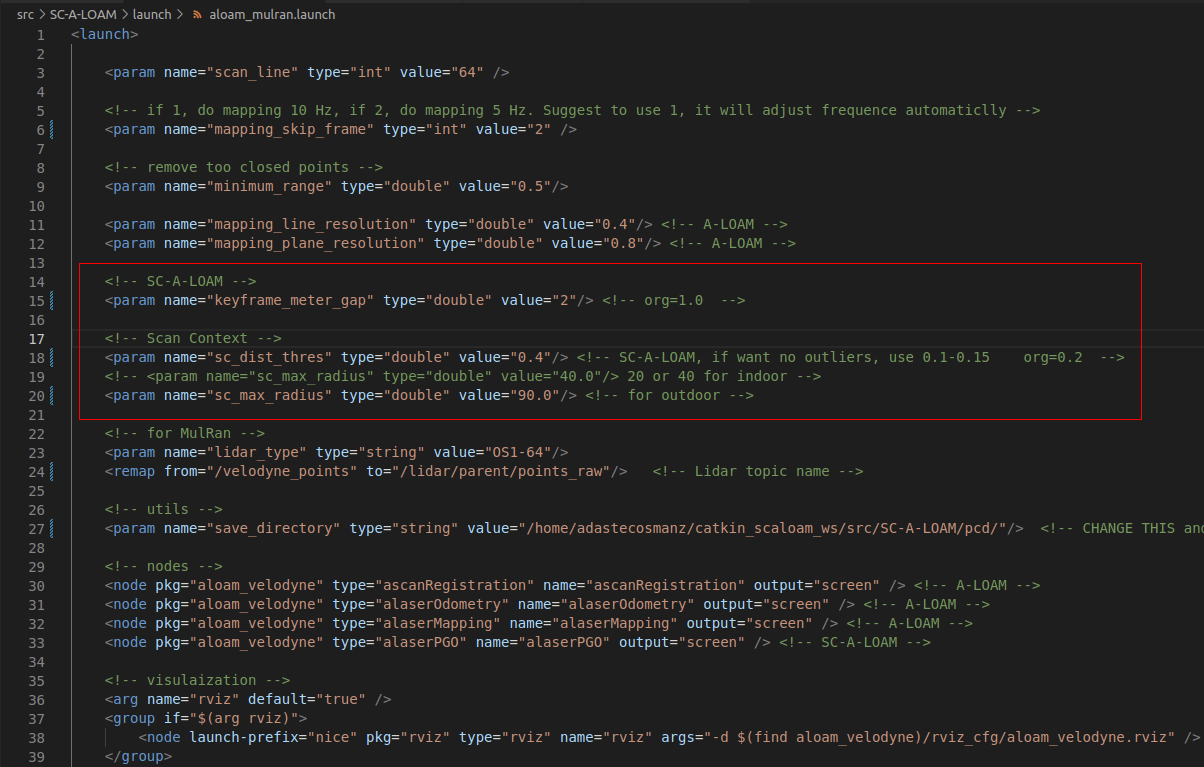
- If encountering ghosting error or loop is not closed, change the scan context parameters.
- Adjust the scan context settings with the parameters in the marked area.
3) Run#
bash
roslaunch aloam_velodyne aloam_mulran.launch
4) Saving as PCD file#
bash
  rosrun pcl_ros pointcloud_to_pcd input:=/aft_pgo_map
Example Results#
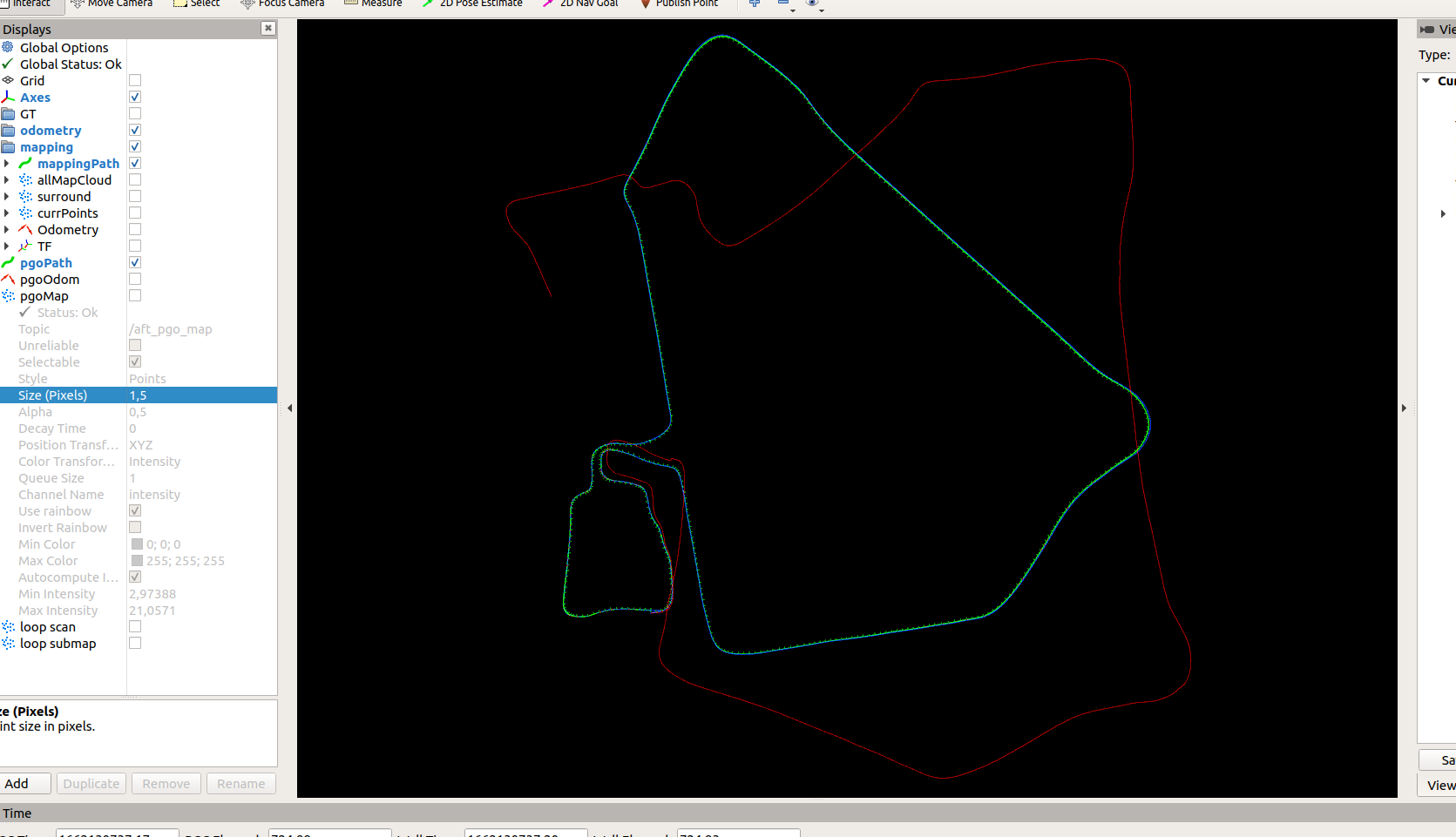
Riverside 01, MulRan dataset#
- The MulRan dataset provides lidar scans (Ouster OS1-64, horizontally mounted, 10Hz) and consumer level gps (u-blox EVK-7P, 4Hz) data.
- About how to use (publishing data) data: see here https://github.com/irapkaist/file_player_mulran
-
example videos on Riverside 01 sequence.
bash
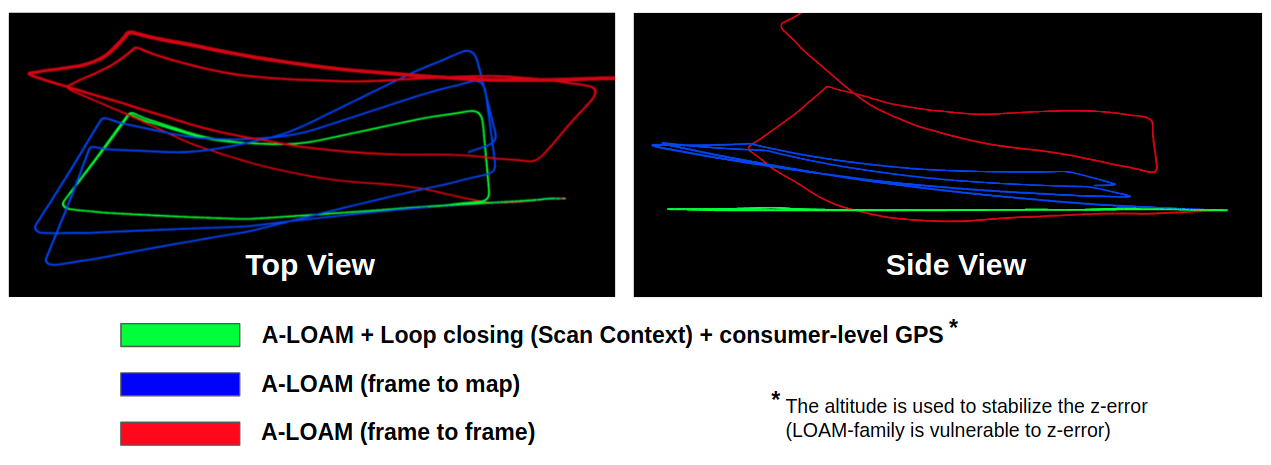
1. with consumer level GPS-based altitude stabilization: https://youtu.be/FwAVX5TVm04
2. without the z stabilization: https://youtu.be/okML_zNadhY
-
example result:
KITTI 05#
-
For KITTI (HDL-64 sensor), run using the command
bash
roslaunch aloam_velodyne aloam_velodyne_HDL_64.launch # for KITTI dataset setting
- To publish KITTI scans, you can use mini-kitti publisher, a simple python script: https://github.com/gisbi-kim/mini-kitti-publisher
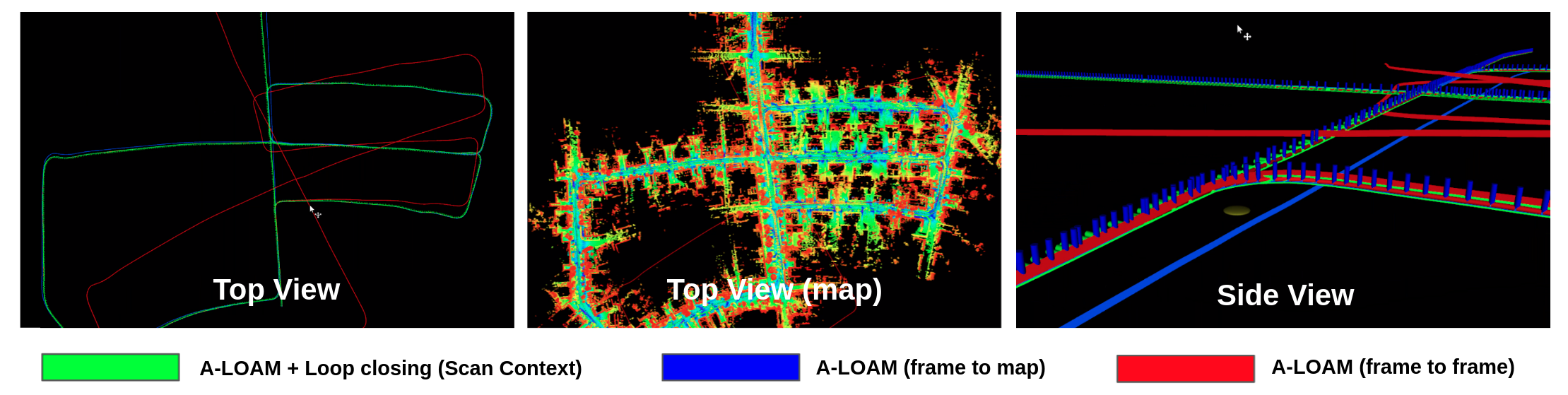
- example video (no GPS used here): https://youtu.be/hk3Xx8SKkv4
-
example result:
Contact#
- Maintainer: paulgkim@kaist.ac.kr